Tutorial 2 of 8
Work through findings with triage and a fix plan
Beginner 7 min
Merge the findings of every tool and domain into one list, decide what to fix, accept or ignore, and export a deduplicated fix plan.
After a run, open Findings (key 3). It merges what every tool reported for every target — DNS, mail, HTTP headers, IPv6, accessibility and so on — into one list sorted by severity.
Grouped across targets
With Group across targets switched on, the same issue appears once: “No rua= reporting address — 4 targets”. The heading lists every check that reported it (DNS & certificate and Mail security both look at DMARC, for example). Below the text you see the fix the tool suggested and one row per affected domain.
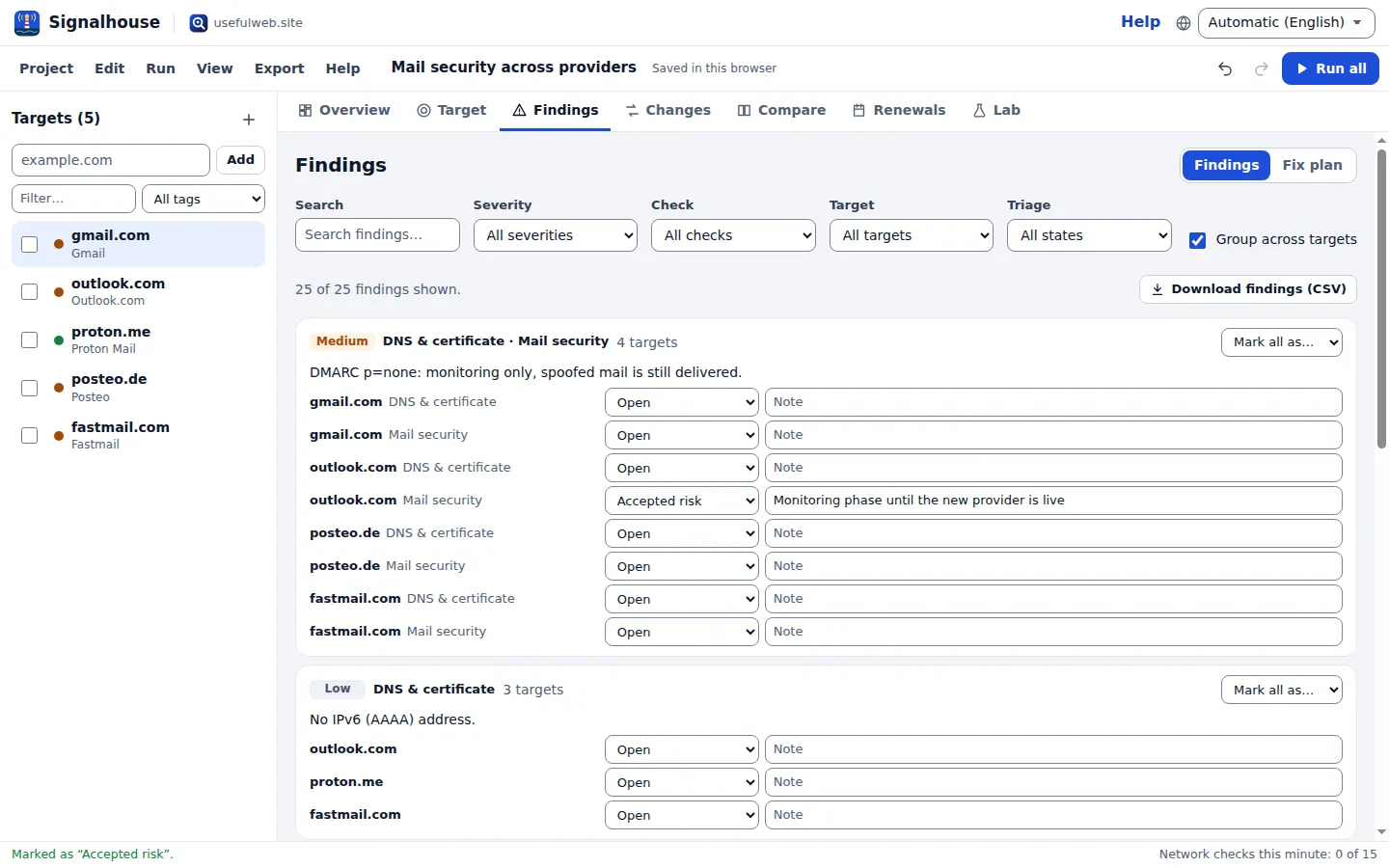
Use the filters to narrow the list: Search, Severity, Check, Target and Triage.
Triage
Every finding has a triage state:
| State | Meaning |
|---|---|
| Open | still to decide (default) |
| Accepted risk | you know about it and keep it on purpose |
| Fixed | you changed the configuration; the next run confirms it |
| Ignored | not relevant for this domain |
Pick a state in the row of a domain, or use Mark all as… on a group to set it for every affected domain. Add a short Note (“soft fail is fine with p=reject”) for your future self or a colleague.
Triage decisions are stored with a stable key built from the check, the area and the finding text without dates and numbers, so they carry over to the next run — an accepted finding stays accepted even when a count in its text changes. Undo (Ctrl+Z) works for triage changes too.
Fix plan
Switch the view to Fix plan. It collects the concrete fixes the tools suggested — security headers, SPF and DMARC changes, MTA-STS, crawler access — deduplicated over all targets and without the findings you marked as fixed, accepted or ignored.
Download checklist (Markdown) gives a ready-to-paste task list for an issue tracker; Download fix plan (CSV) gives the same as a table. Export → Findings (CSV) exports every finding with its triage state and note.
Tips
- Severity comes from the tool. Signalhouse does not invent findings; it only adds a few of its own, written as plain sentences (for example a domain registration that ends within your warning window).
- Some tool texts are only available in English; they are marked as English for screen readers.
Ready to try it?